


Medal - Gaming Clips
4.8615.00 Reviews
App Specs
- Version
- 7.0.0
- Updated On
- License
- Free
- Downloads
- 5,000,000+
- Developer
- Medal B.V.
- Categories
- Social
- Platform
- Android, iOS
Screenshots
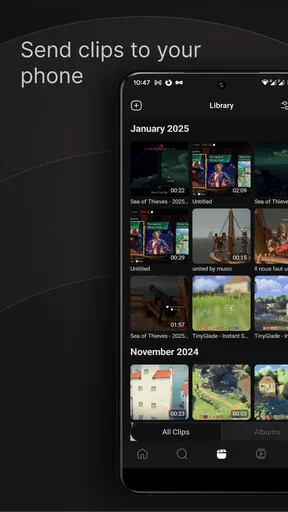
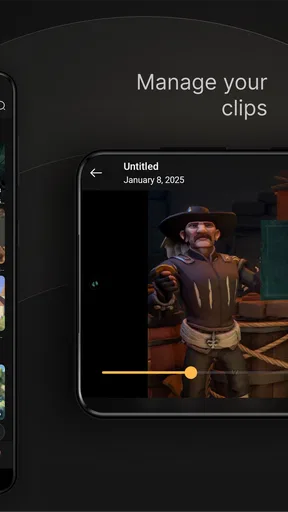
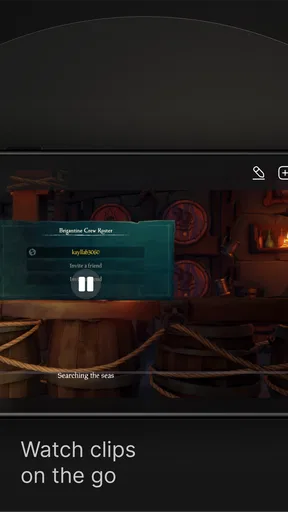
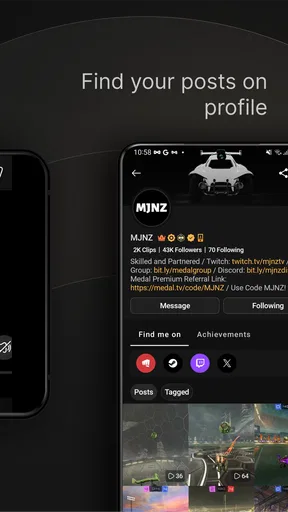
 Analysis by AppCompare
I find a shared gaming space is where a clip-sharing app can be genuinely useful—and where it needs a little thought. One person may want to save a remarkable play, while someone else using the same device may prefer to keep their gaming activity private. Medal - Gaming Clips is built around watching, editing, uploading, and sharing game moments, so it makes most sense when each player understands which account and audience they are using.
Decide whose clips and account are in use
Before making Medal part of a household routine, I’d agree on a simple boundary: use your own account when possible, and check the account before uploading or commenting. That matters on a shared tablet or phone, where one person’s feed, follows, and saved moments might otherwise be mixed with another person’s. I wouldn’t treat a shared device as a shared social account by default.
It also helps to decide what “share” means in your home. A clip sent to a familiar gaming group has a different audience from one posted to a wider community. I recommend reviewing the destination before each upload, especially when a clip includes a player’s voice, username, or other people’s gameplay. That quick pause is useful even if the moment itself seems harmless.
Make coordination part of the gaming routine
A practical use is a short post-session recap. Imagine two siblings taking turns at a game: one spots a funny mistake, saves the moment, and shows it to the other after the match rather than interrupting play to explain what happened. A friend group can use the same approach to collect highlights from different sessions and pick a few clips to discuss or share later.
For a smoother routine, I’d agree in advance on who edits and who posts. Trimming a clip before it goes to friends can remove a long stretch of waiting or unrelated play, making it easier to watch and less likely to expose more of a session than intended. It also helps the person who captured the moment keep the final say over how it is presented.
Age, audience, and trust
Medal is rated Teen, which is a useful cue for families deciding whether its social side suits a younger player. I would talk through comments, follows, and sharing with a teen rather than assuming that a clip app is only a private recording tool. Its community features make discovery and interaction part of the experience, so audience awareness matters alongside the editing itself.
That doesn’t mean every household needs the same rules. A teen who already understands how public or group sharing works may need only a reminder to check the audience and avoid posting other people’s voices without their agreement. A younger or less experienced user may benefit from an adult helping them choose sensible boundaries. Medal should not be mistaken for a household supervision tool; trust and clear conversations still do the work.
Worth Reading Before You Choose

Flipboard Shows What News Apps Must Do Beyond the Feed

Switching to Android Auto Means Rethinking Your Driving Routine

Google Calendar Makes a Crowded Week Easier to Manage

Ludo King Makes the Most of the Minutes Between Plans

Baby Panda World Brings Quick Play to Modern Phones, but Its Game Library Feels Busy

ESPN’s Live Game View Makes Following Close Games Easier
Where it fits among gaming tools
Compared with saving a screen recording and sending the file manually, Medal’s appeal is the path from captured moment to edited, shareable clip, with a social feed attached. That is convenient when the point is to exchange highlights with other players. A basic recording tool may be a better fit if you only want a private archive, while a full video editor makes more sense when you need detailed control over a finished production.
I’d also separate the mobile experience from expectations about how a clip gets captured. Medal’s app is listed for Android, with a minimum OS of 8.0, and its core promise is centered on gaming clips. If you mainly play on a computer or console, check that your particular capture workflow works with the devices and games you use before making it the center of your setup. A social app can make sharing easier, but it cannot replace a capture method that doesn’t suit your play environment.
Who will get the most from it
Medal is a natural fit for players who regularly have moments worth showing to friends and enjoy browsing other people’s gameplay. It can be especially handy for a casual group that wants to keep a few funny or skillful highlights without turning every session into a polished video project. The built-in editing is useful for quick cleanup, not a substitute for the precision and layered control of desktop editing software.
I’d skip it if you have no interest in a gaming community, want every recording to remain strictly private, or would rather avoid another social account to manage. It may also be a poor match if you expect a mobile app alone to solve every part of capturing gameplay across your setup. In those cases, a straightforward recorder or a dedicated editor may be less distracting.
Capturing the Moment
One of the coolest features of Medal is its ability to seamlessly capture your gaming moments. You don't need to be a tech wizard to use it. The app runs in the background, recording highlights without any noticeable impact on your game's performance. It's like having a stealthy sidekick that’s always ready to grab those golden moments.
With simple hotkeys or a quick tap, you can record the last 15 seconds to 10 minutes, depending on your settings. This flexibility is great because sometimes a moment is just a quick flick of the wrist, while other times, it’s an extended battle that deserves a full replay.
Sharing is Caring
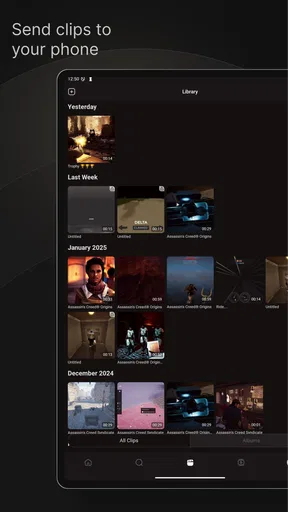
Sharing your clips with friends and fellow gamers is a breeze. Medal integrates smoothly with platforms like Discord, making it super easy to share your highlights in your favorite gaming communities. Plus, you can upload clips directly to the Medal platform, where they get classified by game and are easily searchable. It’s perfect for showing off or just having a laugh over a funny in-game mishap.
If you’re more of an editor, Medal offers basic editing tools right in the app. Trim, cut, and add effects to polish your clips before they go live. While it’s not as robust as professional editing software, it’s more than enough for quick touch-ups.
Community Vibes
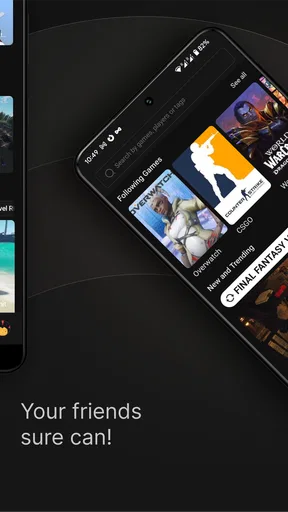
What’s a gaming app without a community? Medal’s community is vibrant and active. Users can follow each other, comment on clips, and even collaborate. It's like a virtual gaming lounge where everyone shares their best moments.
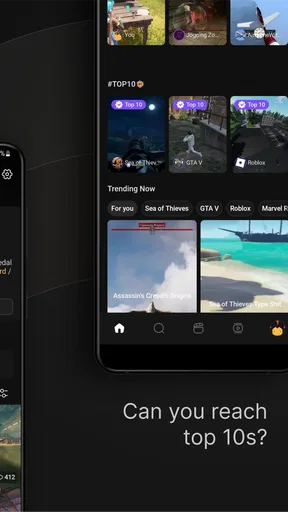
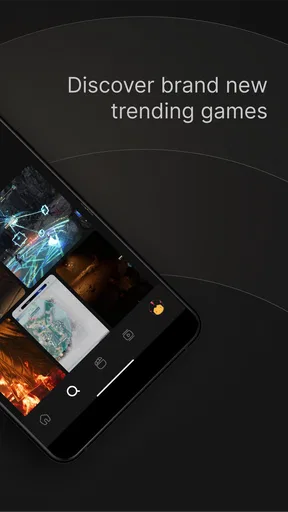
The community aspect also means you can discover amazing clips from other gamers. Whether you’re looking for inspiration or just want to see what’s trending in the gaming world, the Medal community is a treasure trove of content.
Easy on the Eyes
The app’s interface is clean and intuitive. Navigating through your clips, settings, and the community feed is straightforward. It’s clear that Medal’s developers put a lot of thought into making the user experience as smooth as possible, which is a big plus when you’re juggling gaming, recording, and sharing all at once.
To sum it up, Medal - Gaming Clips is a fantastic tool for any gamer who loves to capture and share their gaming adventures. It’s user-friendly, packed with features, and supported by an engaged community. Whether you’re a casual gamer looking to save a few fun moments or a serious streamer aiming to build a portfolio of epic clips, Medal has something to offer.
So, if you’re ready to turn your gaming highlights into shareable memories, why not give Medal a shot? It might just become your new favorite gaming companion.
Cost, version, and everyday trade-offs
Medal is free to download, and the app is developed by Medal B.V. Its current version is 6.12.4. The free entry point makes it easy to try with a small circle of friends before deciding whether its social features belong in your routine. In-app purchases are available, ranging from $9.99 to $179.99 per item, so I’d check the purchase details carefully and avoid assuming that every optional item is necessary for basic clip sharing.
The app has a 3.6 average from around 11 thousand ratings, alongside roughly 476 written reviews, and has passed 5 million installs. I read those figures as a reminder to approach it as a useful but not universally loved social tool: fit depends on how you capture, edit, and share, and on whether you want a community feed at all. They aren’t a substitute for trying your own workflow.
One small habit makes a real difference: decide the clip’s purpose before editing. If you want to show a friend a single clutch play, keep the cut tight and send it to that intended audience. If you’re saving a moment for later, don’t rush to publish it just because the upload option is available. Separating “keep,” “send to friends,” and “post for discovery” reduces accidental oversharing and makes the app feel less like a constant demand to perform.
Another trade-off is that an easy capture can produce more footage than you actually want to sort through. I’d save only moments with a clear reason to keep them, then periodically revisit the clips rather than treating every recording as a permanent highlight. This is particularly helpful on a shared device, where clutter and account confusion can build up quickly. A short, intentional collection is easier to browse and easier to share responsibly.
A sensible household verdict
Medal works best in a home where players are comfortable with social sharing and can agree on account and audience boundaries. Its strongest everyday value is the bridge between a memorable gaming moment and a clip that friends can actually watch, with simple editing to make the result more focused. Its community can add discovery and conversation, but that same social layer is unnecessary for someone who only wants private recordings.
If I were recommending it to a friend, I’d suggest starting with one shared use case: capture a moment, trim it, and send it to a small group. See whether that flow is genuinely easier than your usual screen recording method before building a bigger routine around it. For a household, I’d add one rule—check whose account is active and who will see the clip before posting. With those expectations in place, Medal can be a fun companion for gaming nights; without them, a simpler private recorder may be the calmer choice.
Pros
- Easy-to-use interface for quick navigation.
- High-quality video uploads and downloads.
- Supports various game platforms seamlessly.
- Robust community with active engagement.
- Efficient search and filter options.
Cons
- Occasional lag during video playback.
- Limited editing tools for clips.
- Ads can be intrusive at times.
- Requires stable internet for smooth use.
- Some features locked behind premium.
FAQs for Medal - Gaming Clips
What is Medal - Gaming Clips and how does it work?
Medal - Gaming Clips is a platform designed for gamers to capture, edit, and share their best gaming moments. Users can record clips directly from their games, edit them with various tools, and share them with the Medal community or other social platforms. It's accessible on both Android and iOS devices, making it convenient for gamers on the go.
Is Medal - Gaming Clips free to use, or are there any in-app purchases?
Medal - Gaming Clips is free to download and use, offering a range of features without any cost. However, there are optional in-app purchases and subscription plans available. These may include advanced editing tools, increased cloud storage, or premium themes, aimed at enhancing the user experience for those who want more customization.
What are the main features of Medal - Gaming Clips?
The app offers a variety of features including high-quality screen recording, a suite of editing tools, and social sharing options. Users can trim clips, add effects, and include commentary. Medal also provides cloud storage for saving clips and a community platform for discovering trending content and engaging with other gamers.
How does Medal ensure the privacy and security of my gaming clips?
Medal takes user privacy seriously by implementing strong security measures to protect data. Clips are stored securely in the cloud, and users have control over who can view their content. The app adheres to strict privacy policies and offers options for users to manage their privacy settings, ensuring a safe experience.
Can I use Medal - Gaming Clips on multiple devices?
Yes, Medal - Gaming Clips supports multiple devices, allowing users to sync their accounts across different platforms. By logging into the same account, users can access their clips and editing tools from any device, be it Android or iOS. This ensures a seamless experience for gamers who switch between devices.


